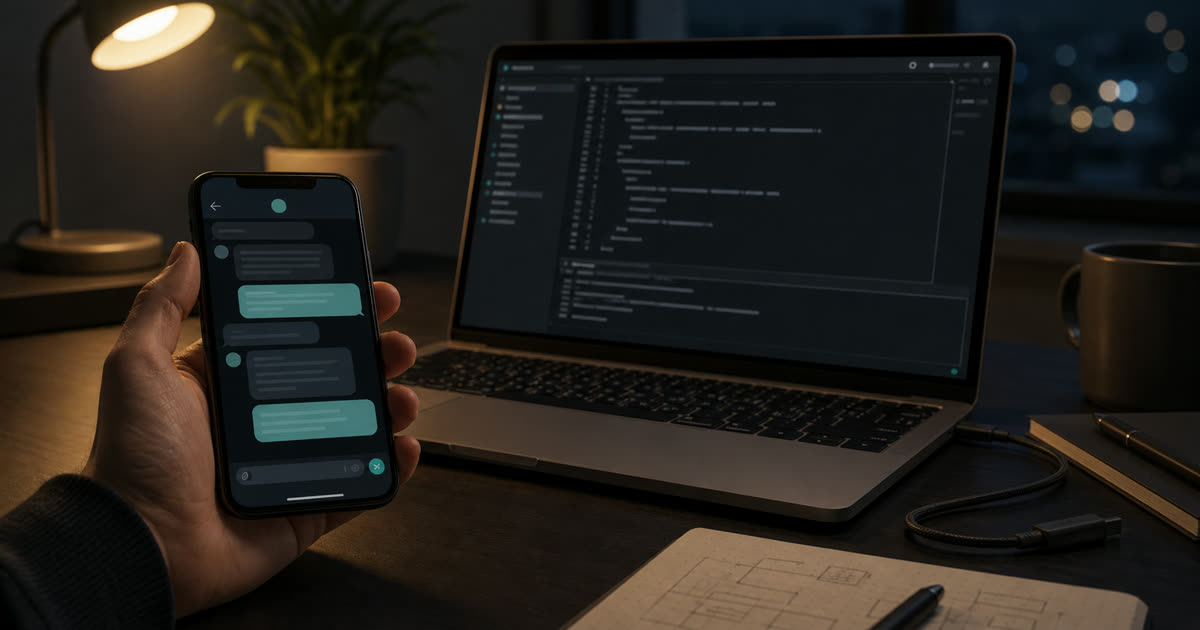
imtty started from a small, specific irritation.
I would have Codex running locally on my Mac, already inside the right repository, with the right branch checked out and the last few turns still in context. It might be midway through a refactor, waiting on a test run, or blocked on a command approval.
Then I would leave the desk.
What I wanted from my phone was not a new development environment. I did not want to operate a shell from a cramped screen or pretend the phone had become my workspace. The useful session was already alive. I only wanted to nudge it, read the result, and decide whether the next risky action should happen.
That is the narrow problem imtty solves: Telegram on one side, a local Codex session on the other, with the work still happening on my Mac.
What I Tried Before This
The first answers were obvious, and none of them fit.
SSH kept the machine reachable, but it made the phone become a shell. That is powerful when I know the exact command I want to run. It is less useful when the thing I want is to continue an AI-assisted coding loop that already has context.
Remote desktop preserved the whole environment, but it made small decisions feel heavy. Seeing the Mac screen is not the same as having a good mobile control surface. It also turns every approval, test run, and short instruction into a tiny desktop interaction.
A plain tmux workflow preserved the process, but not the working loop. I could reconnect manually, but I still needed to watch terminal output, interpret prompts, and move context between the phone and the session myself.
All of these preserved part of the context. They also added enough friction that I stopped wanting to use them.
The Phone Was Never the Workspace
The most tempting wrong version of this project is a phone terminal.
It sounds flexible. It also misses the point.
When I am away from the keyboard, I usually do not want to operate a shell. I want to say, “continue with the safer fix,” “show me the diff,” “run the focused test,” or “do not install that package yet.” Those are instructions to an existing coding loop, not a desire to become a system administrator from a phone.
So I kept the boundary small:
- one owner;
- one trusted local Mac;
- a whitelist of project roots;
- Telegram as the control surface;
- Codex still running locally;
- approvals still explicit.
The phone is not where the project lives. It is where I can keep a local session from going cold.
System Model
At a high level, imtty separates three layers:
- control plane: Telegram and the Mini App for user intent and approvals;
- orchestration plane: the Go bridge for routing, session mapping, and event handling;
- execution plane:
tmuxand Codex running locally on the Mac.
Telegram never touches execution state directly. It observes state, sends intent, and authorizes transitions.
That separation is the main design constraint. The mobile side should help me control the session, but it should not become the place where commands run, files live, or project state is owned.
The Shape That Worked
The implementation is intentionally boring.
The bridge is a Go service. tmux keeps the Codex process alive. Each project maps to a named local session, so opening a project from Telegram means reconnecting to work that is already anchored on the Mac.
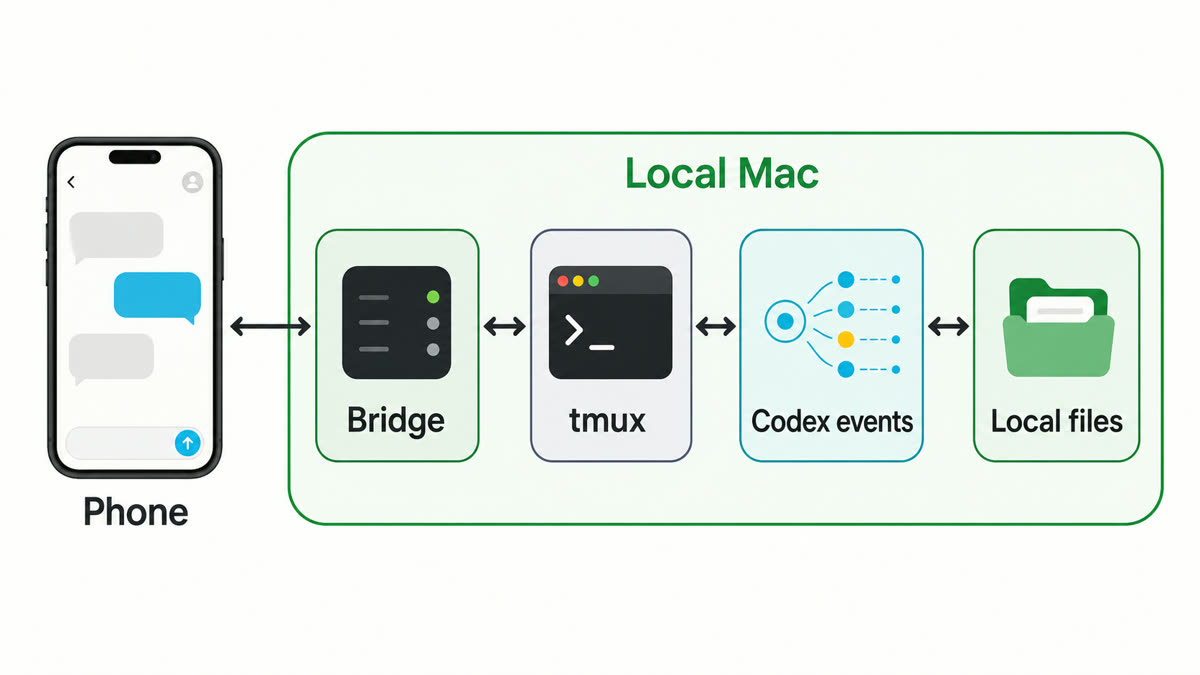
That choice keeps ownership easy to reason about. Files stay in the local checkout. Secrets stay in local config. Uploaded context is temporary. The Telegram bot is a doorway into a local workflow, not the place where the workflow is hosted.
I also avoided treating tmux as a system boundary.
tmux is useful for persistence, but it is fundamentally a presentation-oriented tool. Its output is not structured state. It is terminal rendering.
Parsing terminal output would couple the system to:
- redraw artifacts;
- partial renders;
- prompt noise;
- status lines;
- UI-specific escape sequences.
Codex app-server events are a better source of truth. A final answer is a final answer. An approval request is an approval request. A turn error is a turn error. Telegram does not need every character that passed through a terminal. It needs the state that matters.
Approvals Are the System Boundary
Approvals are not just a UI concern. They are the system’s safety boundary.
Once Codex proposes an action that mutates state, the system should assume the action may be destructive by default. File edits, command execution, dependency changes, and local environment changes all have real blast radius.
The risk is not abstract:
- package installs can change dependency resolution;
- file rewrites can land on an active branch with unrelated work;
- destructive commands can run without full terminal context;
- environment drift can be hard to reconstruct later.
The mobile interface cannot compress that into a casual binary decision.
An approval needs the boring details:
- command intent;
- working directory;
- affected files when available;
- rationale from the agent;
- explicit choices.
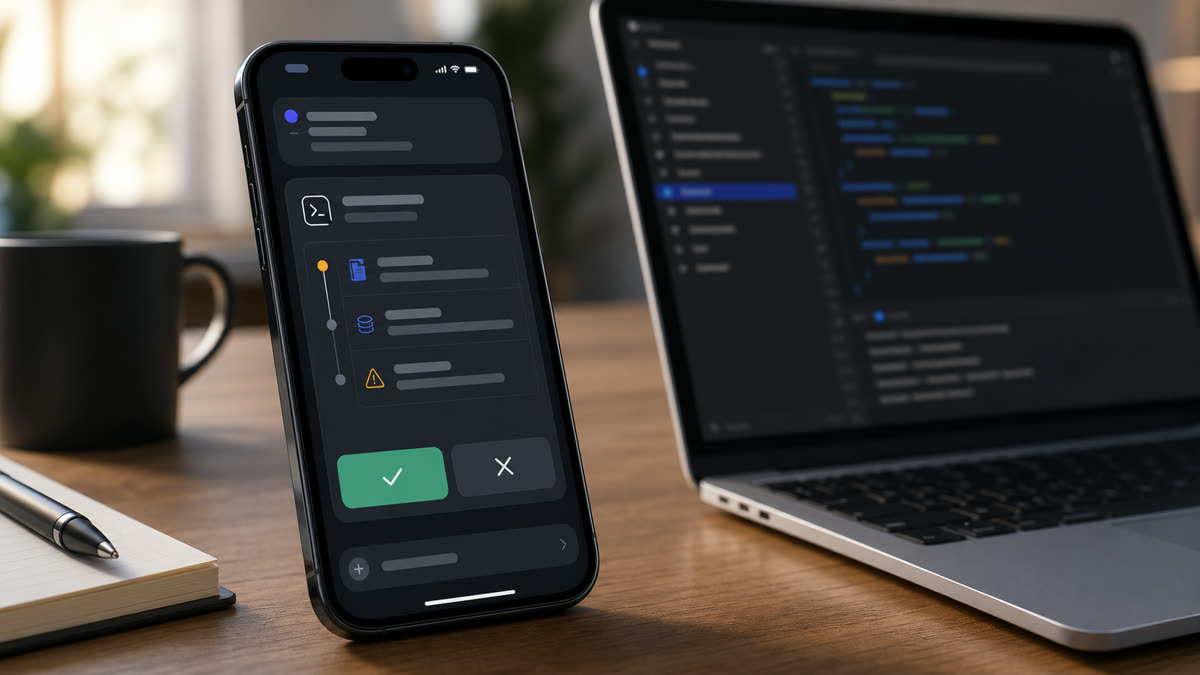
imtty keeps Codex’s approval model intact. It can surface the pending decision in Telegram or in the Mini App. It can replay pending state with /pending. It can give me enough room to read what is being asked.
Distance from the keyboard must not reduce decision quality.
Why There Is a Mini App at All
Plain Telegram chat is good for short instructions and short answers. It is not great for state that needs shape.
The Mini App is not a dashboard. It is a constrained state surface for operations that exceed chat’s linear model:
- multi-session switching;
- recent thread recovery;
- pending approval inspection;
- structured replay of execution state;
- longer responses that need room to breathe.
It avoids becoming a general observability layer by design. No metrics. No analytics. No system overview. No attempt to recreate the desktop environment.
It only exists to resolve state that chat cannot represent cleanly.
That constraint has been useful. When a feature does not need richer state, it stays in Telegram. When it does, the Mini App gives it enough room without pretending to replace the development environment.
Inputs Are Temporary Context
The next friction point was input.
Sometimes the useful thing to send from a phone is not a sentence. It is a screenshot of an error, a small text file, a PDF, a zip with a few relevant files, or a voice note because typing the whole thing is not worth it.
imtty treats those as context for the next turn. Inputs are session-scoped and intentionally non-persistent.
That design avoids turning the system into file sync or a long-term artifact store. Reproducibility belongs to the local repository state, not to mobile uploads.
The bridge gets Codex enough local context to continue the task, then keeps the boundary small.
What I Actually Wanted
The more I use AI coding tools, the less interested I am in pretending the agent should be everywhere.
For my own workflow, the valuable thing is often continuity. The context is already on the machine. The repo is already open. The tests, credentials, local services, and half-finished branch are already there. The hard part is not creating a new cloud workspace. It is keeping the existing local loop alive when I step away from the keyboard.
imtty is intentionally narrow.
It is not a remote development environment. It is not a cloud agent workspace. It is not a terminal replacement.
It is a way to keep a local, already-running coding session reachable when I am away from the keyboard.
The system optimizes for continuity, not portability.
The source is on GitHub: JasonYHZ/imtty.